







With so many online resources for writers now, it can feel overwhelming to find where to start. One of the most common concerns of aspiring writers is how to know where they can grow their platform and gain readership. It’s also thanks to those numerous online resources that writers have more avenues than ever to share their writing and get recognition (and money!) from their work.
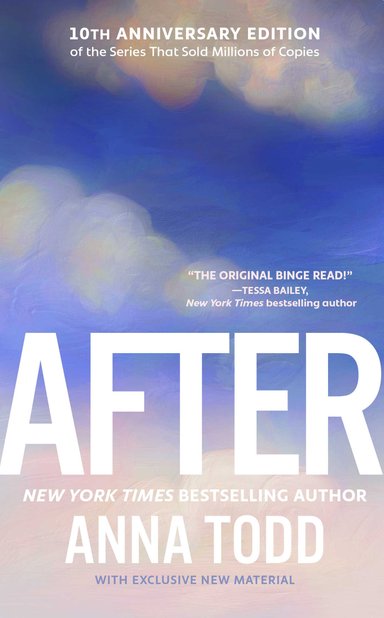
One of these avenues is Wattpad. Originally known for its commercialized fanfiction, the success of books like the After series has transformed Wattpad into a reading platform where young writers can share their original fiction or fanfiction in a serialized commercial format. Now, many young writers are gravitating toward Wattpad as a place to flex their writing muscles or practice sharing their stories where the stakes are lower and free of charge.
Because Wattapad is so user-friendly, it makes it easy for writers to start sharing their stories, and for readers to find exactly what they need. We are here to break down all the steps you — an aspiring writer — need to start writing on Wattpad.
1. Understand the Platform
Before you start writing, you should understand how to fully navigate the platform and understand how to read its analytics to ensure you know how to track your readers and their level of engagement with their work.
Wattpad has a number of unique features that let you, as the reader and writer, interact with the community. We’ll break down the fundamentals here.

Comments
Similar to other social media platforms, users can comment on someone’s story or comment on a specific line so the author can know exactly what the readers liked. Readers can also delete any of their comments, and authors can delete any comments made on their story. This is the main form of engagement between authors and readers.
Reactions
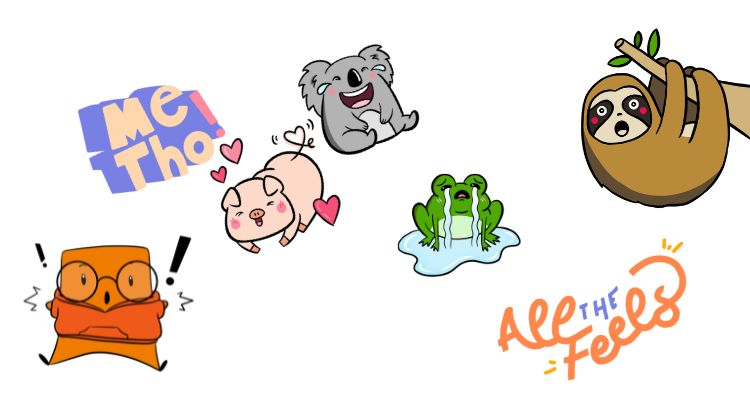
Reactions are very similar to comments but with the addition of fun graphics to showcase users’ real-time reactions. Think of reactions like stickers or gifs on any messaging app.
Voting
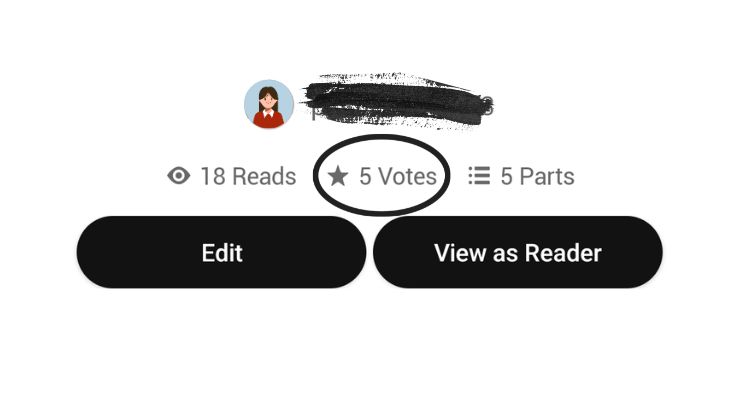
Voting for a story on Wattpad is equivalent to “liking” the story. When users like a photo on Instagram or give a story “kudos” on Ao3 (Archive of Our Own), it’s the same thing. Keep in mind readers can vote 100 times per 24 hours and once per “part” (a.k.a. chapter).
Conversation Boards
Conversation boards are message boards where users can post a message to their followers, make announcements, and respond to other people’s message boards. Users’ conversation boards are public, and everyone — even if they don’t follow that user — can see it.
2. Write Your Story
This one is quite simple, but you must have something written and ready to publish to officially be a Wattpad author. If you are reading this, we assume you have experience with developing a good story and the essential aspects needed to create a compelling narrative. Make sure you have a strong hook and solid pacing, and it’s your best writing. Editing is also important, but try and do it after you write.

Web novels are structured and consumed differently than conventional novels, and understanding that is key! Since you are releasing your story chapter by chapter, it’s a good idea to understand all the moving parts of your story before you start publishing your chapters. What direction is the story going? What are your character’s motivations? How are they changed by the end of the story? What’s the timeline? At the same time, be flexible because you will be able to make changes based on how readers are reacting.
3. Create a Profile
Like any other social media site, users create profiles to help them stand out. Create your username and display name (your public name), and select your profile picture. It helps if your profile picture is the same across all social platforms. Use the “About” section to add a short bio about yourself. Be sure to keep any personal information out; only include information from your “creator persona.” You can also add a background picture, your primary language, location, and reading lists. The more fleshed out your profile, the better!

4. Solidify Your Social Media Presence
Social media is the marketing tool for any author or aspiring author, and your online socials will be your primary audience for your writing. Create a consistent name — or username — and profile picture across all your platforms. Use your analytics and social media to assess your readers’ interests and determine what they want. Don’t stretch yourself too thin between multiple platforms. Find one or two platforms that you like, and put all your efforts into growing those accounts. Make sure your posts are consistent but vary in content.
5. Create an Outline and Schedule
Even before you publish the first chapter of your book, you need to set reasonable goals for finishing the book and establishing a consistent writing schedule. This looks different for everyone, so find what goals and schedules work best for you and try to stick to them. If you update at regular intervals, you can build an equally consistent readership. Frequency is key! Keep your followers updated with announcements on your socials.
6. Publish Your Story
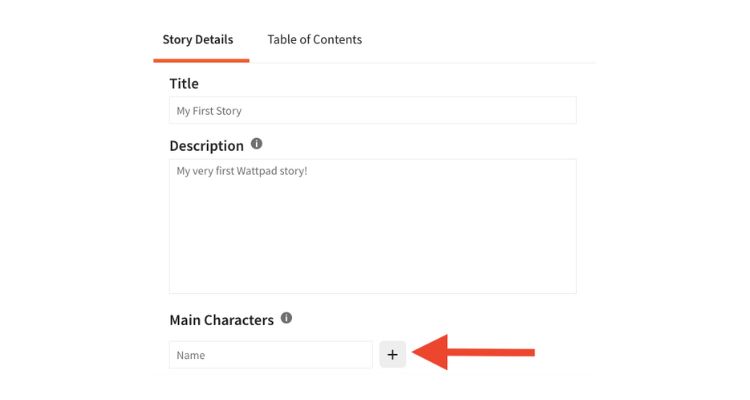
Now that you’ve gone through the preliminary steps, you can publish your first chapter! But before you can officially publish your story, you must ensure you have a good working title, a solid synopsis (both can be changed or updated at any time), and accurate tags so readers can find it easily. To personalize your work, create a cover that fits the story and add story features.
7. Engage With Your Readers
In keeping with consistency, utilize the Wattpad features discussed above to create a community with your readers and followers. Let them know how much you appreciate their viewership. Respond to comments. Keep them updated with announcements or posts on your social media. Direct message your super fans. The goal is to create a community with your readers and interact with the larger Wattpad community.

If you are interested in learning more about how to start writing on Wattpad, check out their guide for creators here. Keep in mind that Wattpad isn’t for everybody. Everyone’s writing journey is different, and we hope you take into consideration your personal goals to make sure authoring on Wattpad is right for you. But if it is, we hope this step-by-step guide helps you publish your first work!
Working on your next book? Click here for websites that will help you write your next novel!
Click here to see what’s on Bookstr’s Thrilling Dark Romance We Love shelf on Bookshop!