












Dyslexia affects 20 percent of the global population. In America alone, there are about 40 million people who live with some variation of dyslexia. That is about ten percent of the population. The condition makes up for around 80-90 percent of learning disabilities, according to the Yale Center for Learning and Creativity. Not only that, but Dyslexia is one of the most common neuro-cognitive disorders.
Of the 40 million Americans alone, only two million receive a diagnosis. This leads to millions of Americans approaching education, hobbies, and careers without the means to best accommodate their minds. Imagine the number of people who approach these things without assistance globally! The lack of an accommodation can lead to anything from a few misunderstandings here or there to the completely crushing feeling of being overwhelmed. Approaching a life without accommodations can make certain daily tasks feel absolutely unfathomable.
A huge misconception when it comes to dyslexia is that the disorder only exists in one context. Much of mainstream media presents the learning disability as a difficulty with reading, but dyslexia can develop in a variety of forms. The five major forms are phonological dyslexia, double deficit dyslexia, surface dyslexia, and visual dyslexia.
Do Tools Only Come In A “One Size Fits All” Fashion?
No! There are a variety of tools that can assist those with dyslexia. Accommodations can be physical tools that an individual can bring with them and use as a hands-on approach to their work. There are also apps.
Everything has an app nowadays! Yes, even your phone can help with dyslexia. There is a collection of apps that aid in certain symptoms of dyslexia. That’s not the only way tech helps, though! There are plenty of extensions and online programs that can help anyone with dyslexia ease the troubles of work.
Physical Tools
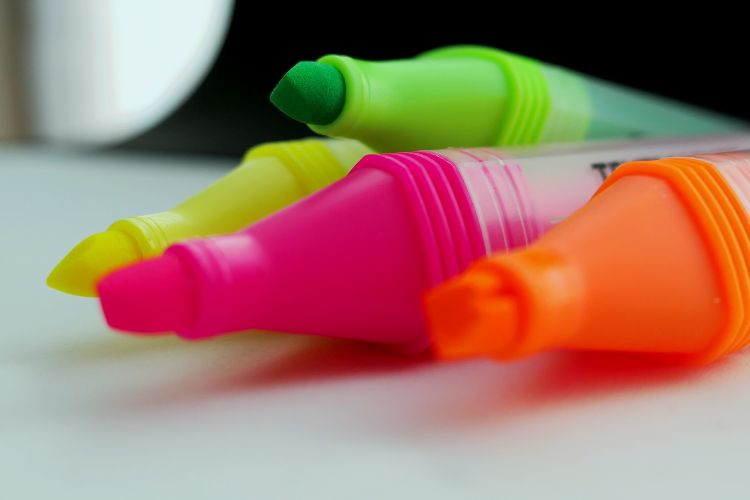
Highlighters
A crucial symptom of dyslexia is difficulty approaching walls of text. Having highlighters on hand have proven to help studying, reading, and analyzing text for those with dyslexia. The use of colors breaks down the larger text into palatable pieces, which are easier to tackle and understand. Highlighting text can also ease the review of materials, whether this be a textbook, casual read, or files.
For something that is a little less permanent, there are also reading highlighters.
Reading Highlighters
Reading highlighters are reusable bookmarks and reading aids. These translucent strips act similarly to highlighters in that they break the text into smaller portions. They also come with a tracking line to help readers follow the sentence they’re currently reading. This allows for an ease of eye and mind strain and prevents jumping ahead while reading.
Recorder
Many people with dyslexia also find it easier to consume information if it is spoken or read aloud. Note-taking can prove difficult for those with dyslexia. Opting to record meetings, lessons, and classes can be an incredible substitute for those with dyslexia. Of course, we all carry a recorder in our pockets every day: our phones!
However, for those who may want to keep a separation between their work and their personal devices, a recorder can keep that fine line!
OrCam
OrCam Read is an incredibly nifty and deft device for those with dyslexia. OrCam Read is a handheld device that reads paper, text, or writing aloud for the user. It works like this: simply raise the OrCam Read over the text, hold down the button until the red lights appear, and wait for the click!
The OrCam Read allows for instantaneous text to speech through the click of a button. This device is not only helpful, but it is especially impactful for children who may not have access to an app or computer. Children with dyslexia often struggle with reading and schoolwork, the OrCam Read offers an ease to the stress of this.
Children with dyslexia can often develop a disinterest in reading due to the difficulty it presents with their learning disability. Yet, there are plenty of books written now to aid in the child’s love for reading- even if they have dyslexia. If you want to check out these books, you can read Bookstr’s list here on how to making reading magical again.
Helpful Dyslexia Apps
Speechify
Speechify is currently the top rated text to speech app in the Apple store. The app takes anything from PDFs to documents to new articles and makes them into an audible version. Not only that, but the listener can control the speed at which the text is read. The app can also be downloaded on your computer.
You can opt to pay for a subscription. The subscription runs at $12 a month, but allows for more variety in reading voices, more languages, higher speeds, and gives the user the option to scan and listen to any printed text.
Grammarly
Grammarly is another huge app that can aid individuals with dyslexia. Grammarly, as it is commonly known, is a grammar and spelling correction software.
Yet the key points of the app actually make for great accommodations to dyslexia: the ability to see real time edits to spelling and grammar, the use of notes when writing, auto-correction, and more. The app allows for quick returns on writing and note-taking, which in turn eases the stress of dyslexia.
Grammarly is also available through its online site. This means this accommodation doesn’t lose its accessibility when you sit down at your desk. Grammarly makes working on a desktop as easy as typing on your phone.
There is a free plugin available for your browser, but the app does require a subscription of $5 a week and is available in the app store.
Another example is Yabbra, an invoice generating platform that allows you to choose how you want to view the created file so you can choose the document reader that best works for you.
Audible
Especially for those still in school — whether this be for summer reading homework, a new course, or just to have an easier approach to a favored past time — audible allows for readers to listen to their favorite books. Audible is the biggest audiobook site, and it has an impressive collection of reading materials. Opting for an audio version of a textbook can be as easy as downloading this app.
Online Programs
Chrome Highlighter
Chrome has a simple extension, which allows users to highlight any and all text on their screen as well as annotate readings while on your desktop or laptop. So much is online nowadays. If the physicality of real paper and highlighters is not an option for your environment, simply popping this extension onto your search engine solves that issue immediately.
With the school season upon us, or just simply searching for some accommodations for the typical 9-5, returning back to the rigor of work with tools to aid in your workflow and learning is essential. Tools and apps can often prove to be invaluable. Be sure to check these out and let us know if you have any tools you used that were not mentioned in this list!
If you’re looking for more tips and tools on how best to handle work at the beginning of fall, we’ve got you covered! Check out Bookstr’s article on Balancing Work and Study!
Looking to test out some of these cool tools? Why not check out a book too? So many of these tools are perfect for some cozy reading. Here at Bookstr, we have you covered for your next read (and all your reads after that)! Just head on over to our Bookshop and take a look at our suggestions!