

















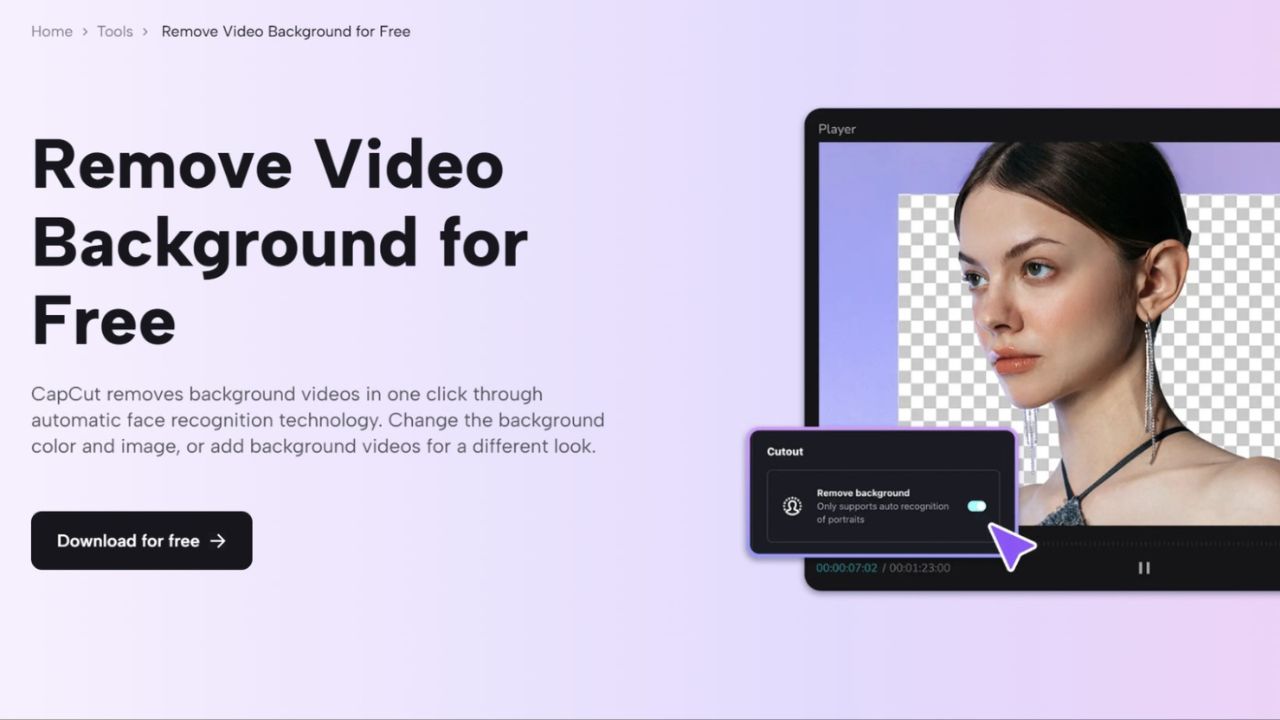
Removing a video backdrop used to be a laborious and technically complex process that often-required costly software and specialist knowledge. Thanks to developments in artificial intelligence, anybody can now accomplish outcomes that seem professional with a few clicks. AI-powered backdrop removal tools have transformed video editing, making producing high-quality footage for marketing, social media, education, and other purposes easier.
The Rise of AI in Video Editing
Conventional backdrop removal techniques, including chroma keying (green screen), often require careful post-production labor and a controlled setting. However, anybody with a computer or smartphone may easily blur, change, or eliminate video backdrops to improve their visual narrative.
AI influences video editing in a way that goes beyond eliminating backgrounds. AI techniques may be utilized for various tasks, such as producing realistic special effects, stabilizing shaky film, and upscaling quality. As AI technology advances, we can anticipate even more cutting-edge tools to democratize video creation further and enable producers of all skill levels.
Video editing tools with AI capabilities are becoming cheaper and easier to use. Numerous internet platforms provide services with user-friendly interfaces that are either free or subscription-based, making them available to consumers and enterprises. Because of this simplicity of use, aspiring filmmakers, marketers, and educators may now create high-quality movies without the need for costly equipment or intensive training.
Simplifying Background Removal: A Step-by-Step Guide
CapCut is a free video editing software; CapCut also has a background removal tool.
Step 01: Import Your Video
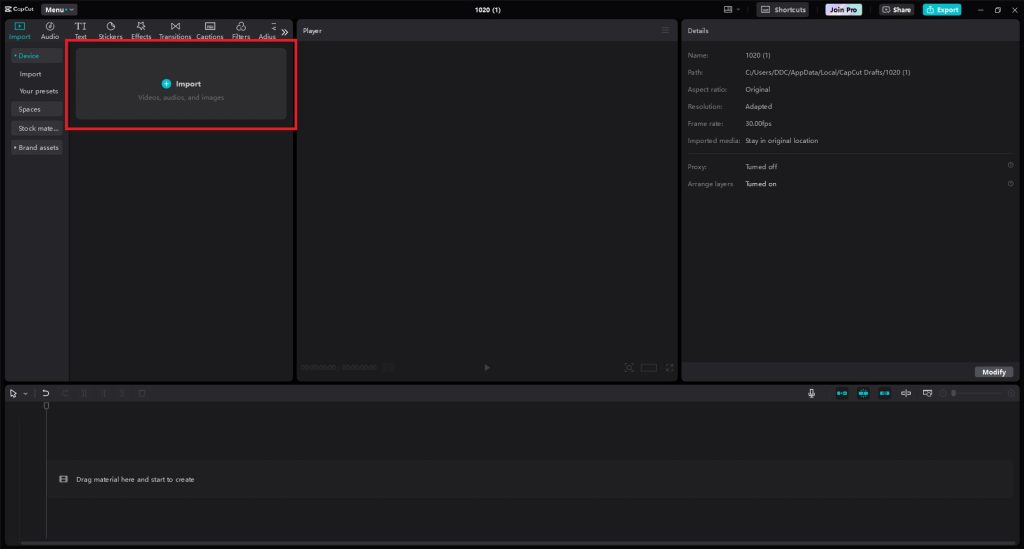
Open the CapCut software and import the video you want to edit. Compatibility shouldn’t be an issue since CapCut supports a wide range of video formats.
Step 02: Access the Background Removal Tool
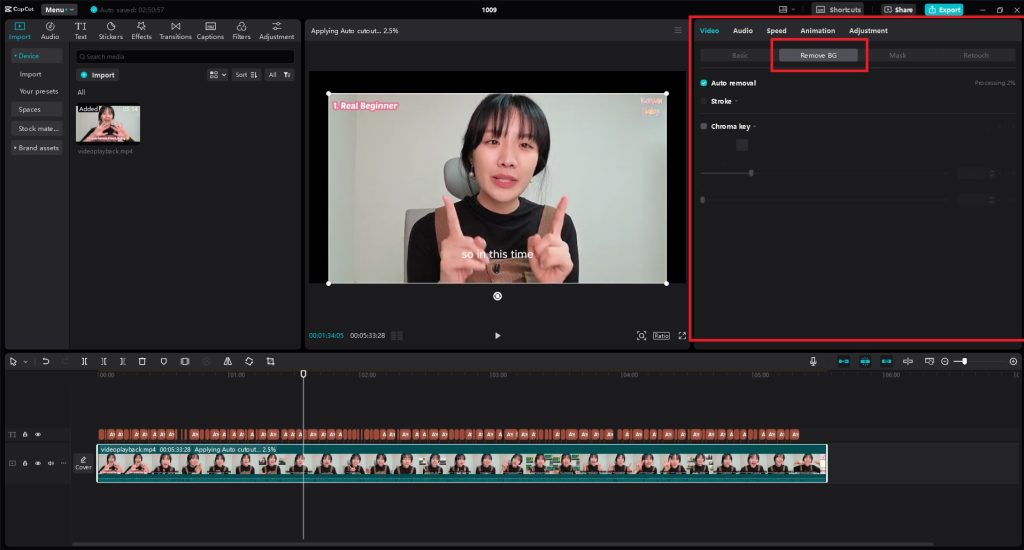
Go to the “Effects” tab. You’ll find the “Remove BG” option. CapCut provides “Auto Removal” for rapid and automated backdrop removal.
You can import your photos and movies or use the standard ones that CapCut offers. CapCut enables you to customize your movie to fit your artistic vision, whether you want a dynamic video, a solid color, or an eye-catching graphic.
Step 03: Refine and Export
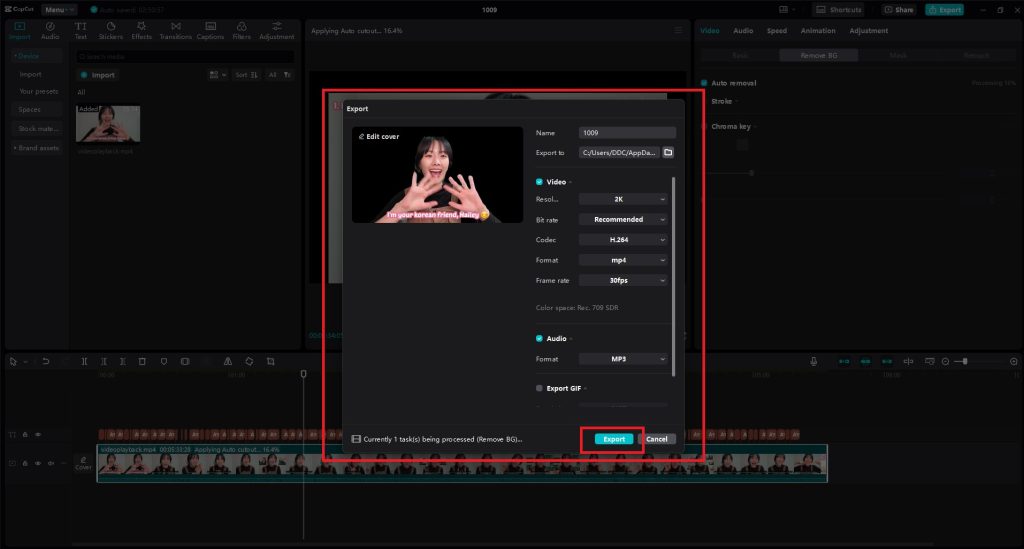
To seamlessly transition between the new backdrop and the foreground, adjust the edges using CapCut’s refining tools before completing your edit. While CapCut excels at simplifying video editing, you can further enhance your workflow by using an AI caption generator to quickly create engaging and descriptive captions for your newly edited videos.
Top AI-Powered Background Removal Tools
While there are a number of AI-powered background removal applications available, CapCut stands out for its versatility, usability, and accessibility. You can edit films like a pro in your pocket with CapCut, a free smartphone app. Although its wide range of features satisfies the needs of experienced designers, its intuitive interface makes it a great option for beginners.
CapCut’s backdrop removal tool, one of its many editing features, leverages state-of-the-art AI algorithms to accurately separate the foreground subject from the background. This ingenious method—picture segmentation—ensures precise backdrop removal without taking away from the main subject, even in recordings with complex backgrounds or dynamic movements.
CapCut is unique in that it seamlessly incorporates background removal into a more feature-rich video editing program. You may operate in the same environment after removing the background and applying effects, transitions, text overlays, and more. This maximizes your productivity and promotes a more cohesive creative process. Whether you want to replace the background with a solid color, a distinctive image, or another movie, CapCut provides the tools and flexibility to make your vision a reality.
While CapCut excels at visual effects like background removal, remember to explore its other features, including the ability to add music and transitions and even utilize text-to-voice technology to enhance your videos further.
Benefits of Removing Video Backgrounds
When clarity and engagement are crucial, removing the backdrop from a video is especially helpful for product presentations, online courses, and instructional films. By substituting a solid color, a unique picture, or even another movie for the original backdrop, you may take your topic to any imagined or actual destination. This method is often used in creative projects to provide distinctive visual effects or in marketing movies to display items in various settings. Furthermore, deleting the backdrop might reduce the file size, which facilitates the sharing and streaming of films.
To get the most outstanding results using AI-powered background removal technologies, you must start with high-quality film. The AI algorithms will better recognize and isolate the foreground if there is enough illumination and a distinct difference between the topic and the backdrop. Despite ongoing advancements, AI technologies could still have trouble with intricate sceneries or low-resolution movies. After removing the backdrop, smooth down the edges to ensure the subject and the new background blend seamlessly.