








Many feats can come with writing a new piece, whether finding the perfect name for your fantasy characters or creating enough tension in your romance. However, something that always happens is that the story ends up everywhere, first in a random Google Doc and then in Microsoft Word. Then, you have the random scenes in your Notes app for when you are on the go. Organizing a story is never simple, but with these five writing programs, it’s never looked easier!
Please note: All prices listed in this article were pulled at the time of writing. For the most accurate pricing, please refer to each program’s website.
Scrivener 3
Scrivener 3 is one of the top writing apps available on Windows and all iOS and Mac devices. It is the third version of the app, with the other versions no longer being compatible. The app is perfect for organizing your manuscripts; even your story planning can be organized here. You can download it directly from your device’s app store or through the app’s website.
The costs differ depending on the device on which you download the app. The cost for iOS, such as iPhones or iPads, is $23.99. For Mac and Windows, the price reaches $59.99. The app is not a subscription but a one-time payment; an upgrade is free if they release Scrivener 4. Despite the steep cost, the features that are included are worth it, and these are just a few:
- Project Outline, such as character and setting outlines.
- Bindelooksok to organize your work by folders and subfolders.
- Corkboard look (inside the folder) so that your pages appear like they are on a corkboard.
- Compiler to compile your work into a manuscript.
- Cloud syncing between devices.
- Does not include generative AI.
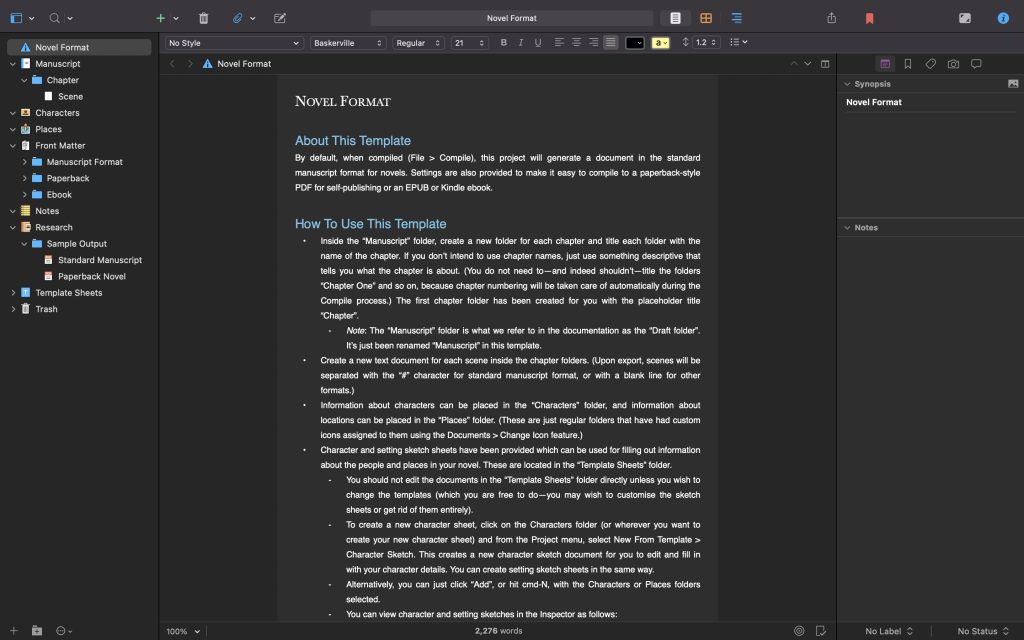
Scrivener 3 has many more features that assist with organizing your work, planning, and writing it. It is a reliable app, one of my favorites, and even some of my favorite authors use it to write. It is easy to navigate, with tutorials on what to do and how to use the app appearing when you first load it. A setback is the lack of editing help found in Microsoft Word and Google Docs, which are also compatible with editing programs. It is the perfect app!
Dabble Writer
Dabble Writer is another fantastic app. Unlike Scivener, Dabble Writer can be used in a browser with no restrictions, and can be downloaded directly from their website. It is another app that is available on Mac and Windows. The app not only organizes your stories but also sets goals for you.
Unlike Scrivener, Dabble Writer is a subscription plan, with four options. The first subscription plan is the Basic tier, which contains the features to get started in writing, is $9 per month. The next plan is the Standard tier, which contains everything in the basic tier and some extra features such as plot map, text highlighting, and story notes, for those who are more serious about writing. The developers recommend the Standard tier, which is $19 a month. The final tier is the Premium tier, meant for those working towards publishing. It contains everything in Standard, but includes co-authoring, workshops, advanced grammar checks, and more, and is $29 a month. However, you can download the Lifetime Access for $699, which gives you Premium tier features.
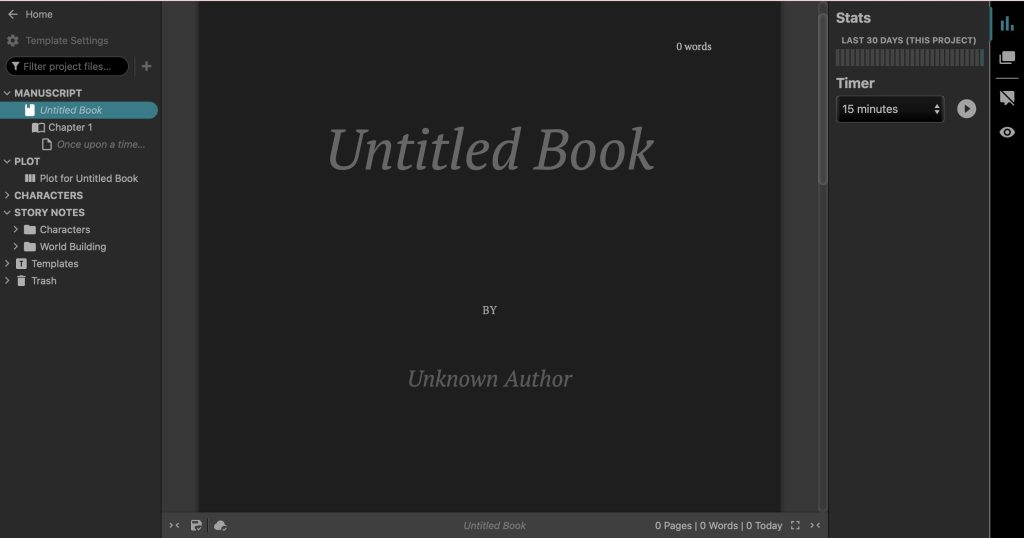
Some of the Basic tier features include:
- Unlimited manuscripts, meaning you can write as much as you want.
- Cloud syncing, but remember that this doesn’t work on the website version.
- Goals and stats, with timers to write uninterrupted and word count goals.
- Spell checks.
- Blinder’s organization is the same as Scrivener’s in terms of its use of folders.
- Does not include generative AI.
Dabble Writer is the perfect app for those looking for different features, with nothing too committal. Dabble Writer is harder to navigate, but the tutorial is extremely useful in helping you understand where everything is. Not only does it have organizing components similar to Scivener, but the goals and timers you can set help inspire you to keep writing that novel.
LivingWriter
LivingWriter is a mix between Dabble Writer and Scrivener. With goals set up to help you write, but with the easy navigating of Scrivener, this app is designed to make writing and organizing your manuscript as easy and fun as possible. LivingWriter is a desktop app that can be downloaded through their link. It is compatible with Mac, Windows, and Linux, and encourages a non-committal 14-day trial before you decide to get it.
LivingWriter is another subscription program. You can do the Regular Payment option and pay $14.99 a month, or choose the Best Value option and pay a $144 bill per year, which is $12 a month. The best part about this is that no matter what plan you choose, you get the same features, and a few of those are:
- Boards! Plot boards, character boards, scene boards, all for organizing!
- Goals: Manuscript goals, chapter goals, and session goals.
- Outlines such as the Hero’s Journey or the Three-Act Structure.
- Notes are on the sidebar for easy access.
- Export formats and import from other writing programs.
- It includes AI features but is entirely optional in settings.
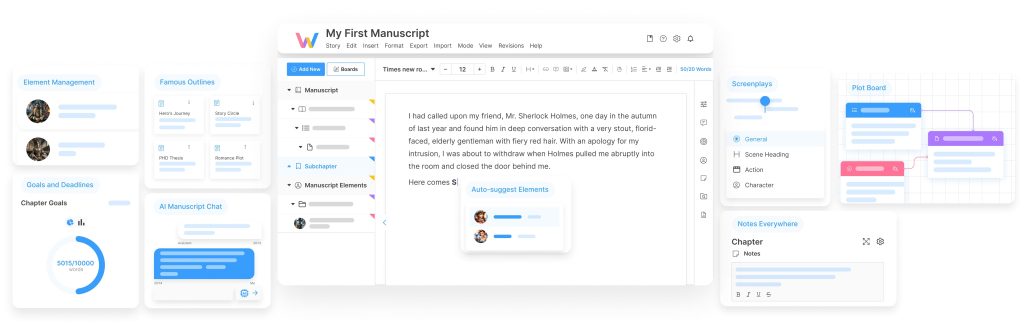
Organizing your story through LivingWriter is easier than ever. With a drag-and-drop feature to easily move folders and notes around, things will never get lost. LivingWriter also includes organization within the boards and the formats, but there is more to discover about this app than just the organizing piece. Even though it differs from the other apps mentioned, you can opt out of its use of AI. LivingWriter is the perfect app for those who are just starting and need something simple.
Manuskript
Manuskript is a lesser-known one that is on the up. Manuskript is hugely similar to Scrivener and is an excellent app to download if you are really into the planning portion of writing and organizing the novel and the plans. Keep in mind that Manuskript is still in early development, with constant patches and updates getting released. Like the others, it is available on Mac, Linux, and Windows.
However, what differs is that Manuskript is entirely free! There is no cost to download or use this program, but there are ways that you can contribute. You can help by testing programs, developing, or even spreading the word about their program. A simple writing app means simple writing features that everyone needs:
- Boards and folders, like the other apps, keep things organized.
- The snowflake method is a planning method you learn throughout this course.
- Distraction-free writing, so the screen fades away and all you see is your writer, and it is customizable.
- Goals, so the distraction-free screen can lock until you hit your goal word count.
- Notes on mini index cards, keeping notes organized.
- No generative AI is directly included.
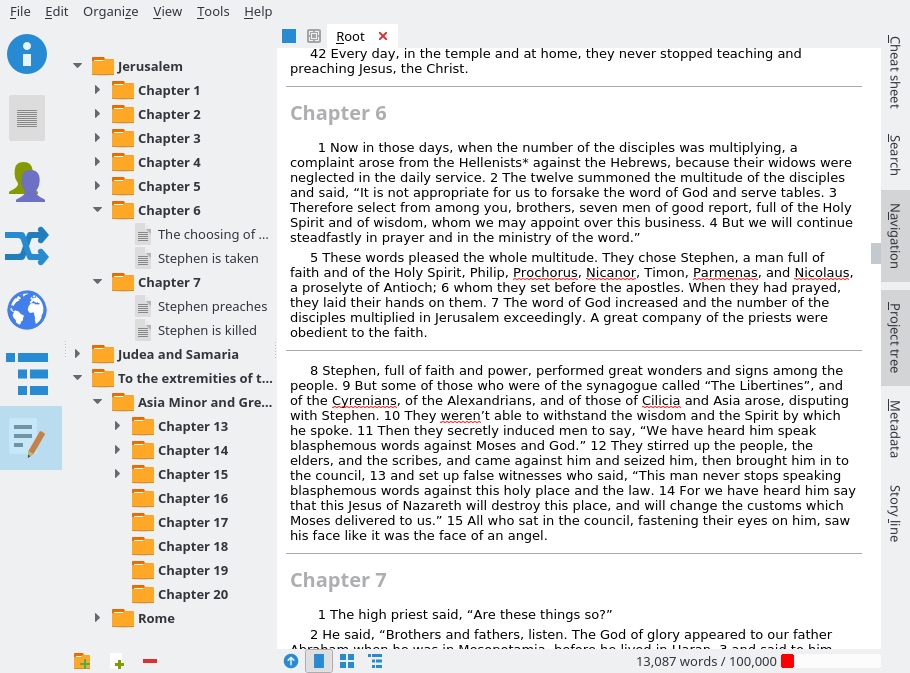
Manuskript has all the perfect pieces to help plan and write your stories for free, so nothing can stop you from going. Despite a few setbacks, it is easy to use and a legitimate open-source program. Writing with Manuskript is the perfect and easy way to start your book!
Bibisco
Bibisco is the final app on this list and is most like Scrivener in price and features, although more features within Bibisco are worth checking out. It is available for Linux, Mac, and Windows and can be downloaded through this website. Bibisco is another excellent app because it offers two payment options. The first is the free version, where you are limited to a few features, but even those are still fun. The second option is $59, as a one-time payment. The second option has a dozen more features, which you can check out in the earlier link. A few features that are offered in both options are:
- Unlimited manuscripts!
- Planning organization, with character development pages, settings pages, and scene pages.
- Automatic backups, so that you never lose your work.
- Exporting the work into a PDF, Doc, etc
- A word processor to catch any grammar errors and misspellings.
- No generative AI included.
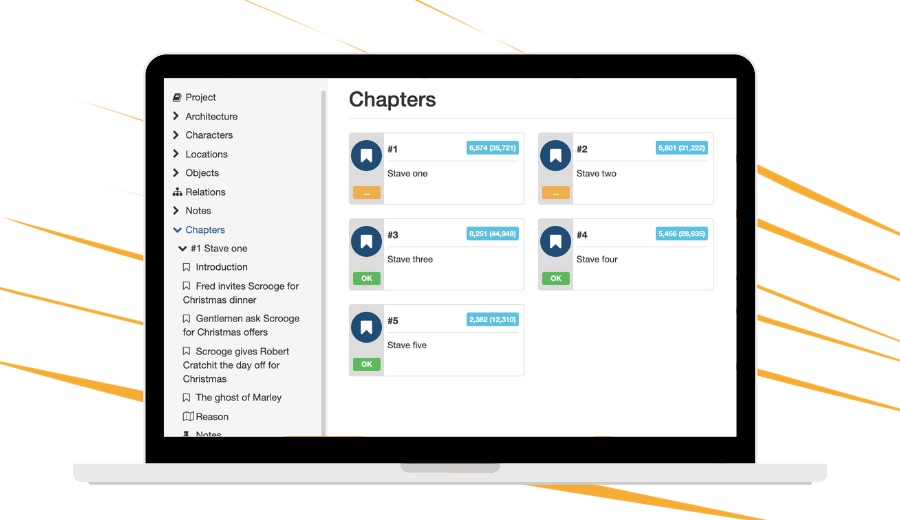
Bibisco is extremely useful as the app has unique planning features. Timelines, tutorials, and templates are all included, making organizing your story easier. Everything from characters to scenes to locations has its own area to make it even more organized. Bibisco is the perfect app for all your organizing needs.
There are a lot of writing programs out there, some with cheaper prices and some with generative AI included. These five programs are the best that don’t include generative AI; if it does, you can opt out. The prices can be a little high, but the best sometimes doesn’t come cheap, and with these features, you will find out that the price is worth every story you write on it and every feature you use. Happy writing!
Read how your writing can boost your self-esteem here!
Check out our team’s books on writing tips and tricks here!